Enterprise AI memory center ·


Designing the memory an AI agent is allowed to have.
- 403+
- GitHub stars on the open-source edition
- >2m
- Sales pipeline from HK enterprises & APAC clients
- #453
- of 18,000+ MCP servers on PulseMCP
01Project overview
- Role
- Product Manager
- Timeline
- 2026.03 — present
- Platform
- Web Portal · Agent
- Scope
- v2 feature
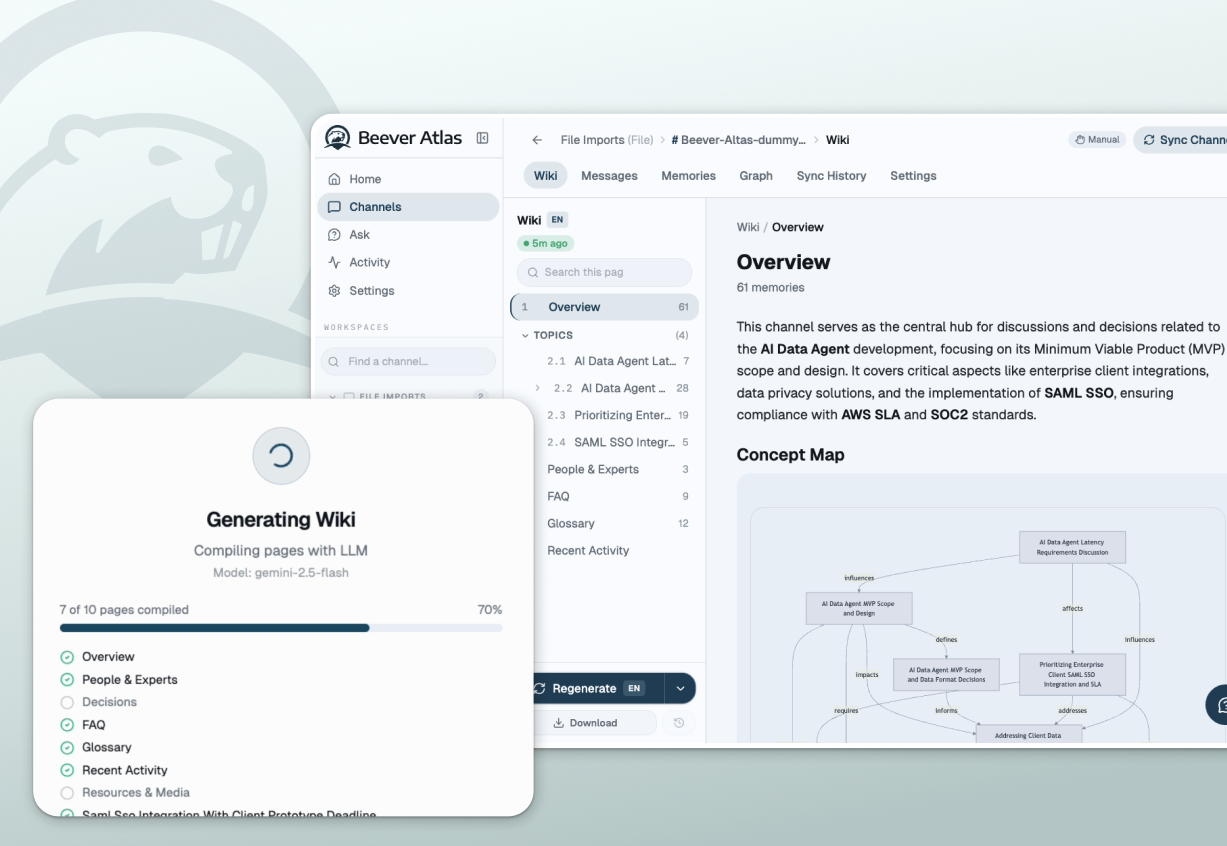
Team conversation becomes a wiki that maintains itself. Every facts will be digested in both semantic and graph memory.








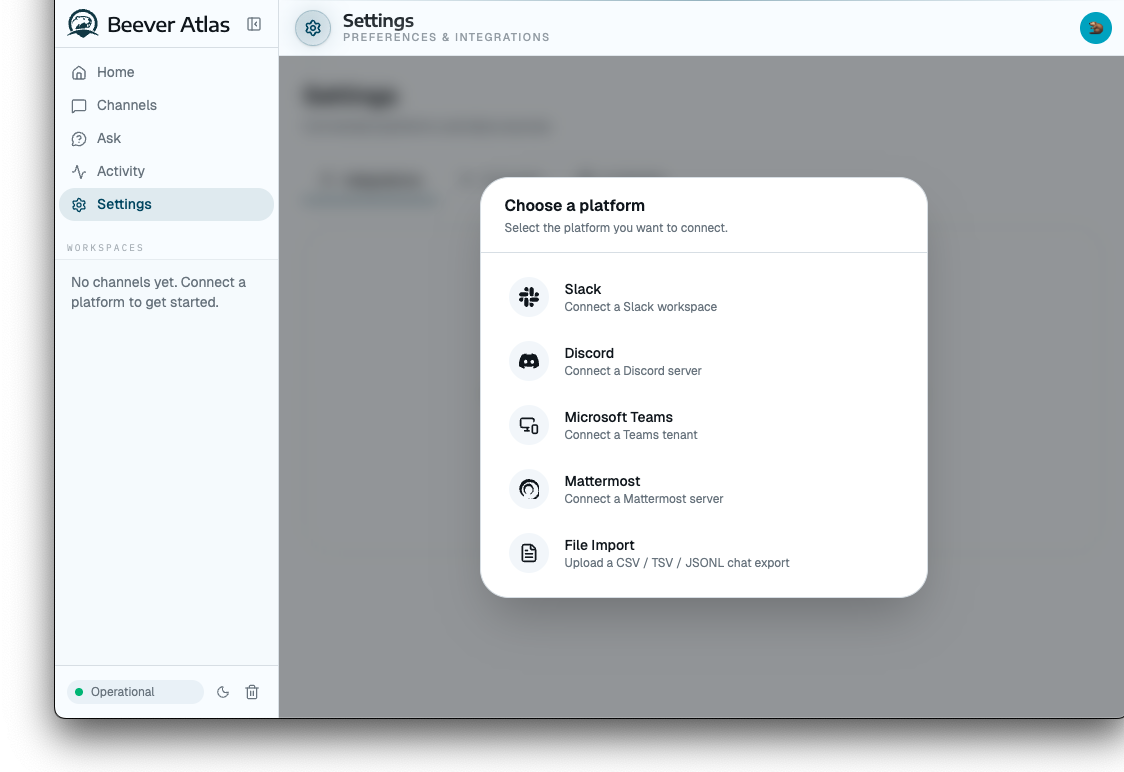
Everything Atlas reads from — Slack, Teams, Google Drive, Jira, and email landing in v2.
01
Sources
Slack · Teams · Drive · Jira
02
Ingest & cite
Every fact keeps its source
03
Memory spaces
Semantic + graph, RBAC applied
04
Living wiki
Pages recompile themselves
Agents over MCP — AI agents read and write the same memory
02Target user
The teammates running their own agents
AI-literate
Delegates day-to-day ops to their agents.
Context work
Copies threads, docs and decisions before agents can act.
Cross-domain work
Across marketing, product, sales, etc.

03Problem
Capturing the knowledge is the easy half.
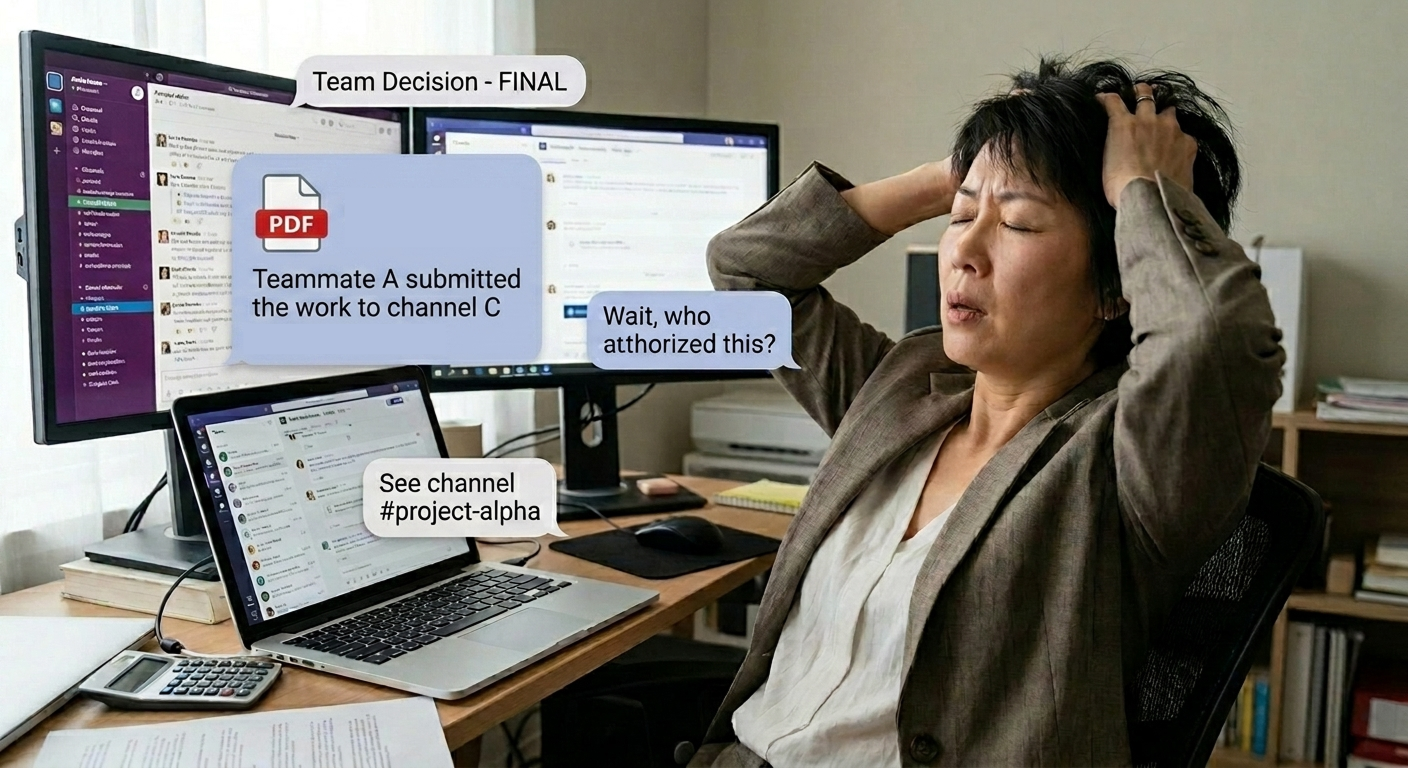
Conversational knowledge loss
Knowledge points and key dicision makings scattering in different locations, different formats(e.g. Audio, images, pdf, and notes).
Ambient authority
In v1, there is channel bot that everyone can access.
Same question · two askers
“Q3 comp budget?”
v1 · Bot-scoped
Access follows wherever the bot sits.
Same answer to both — wrong for IC.
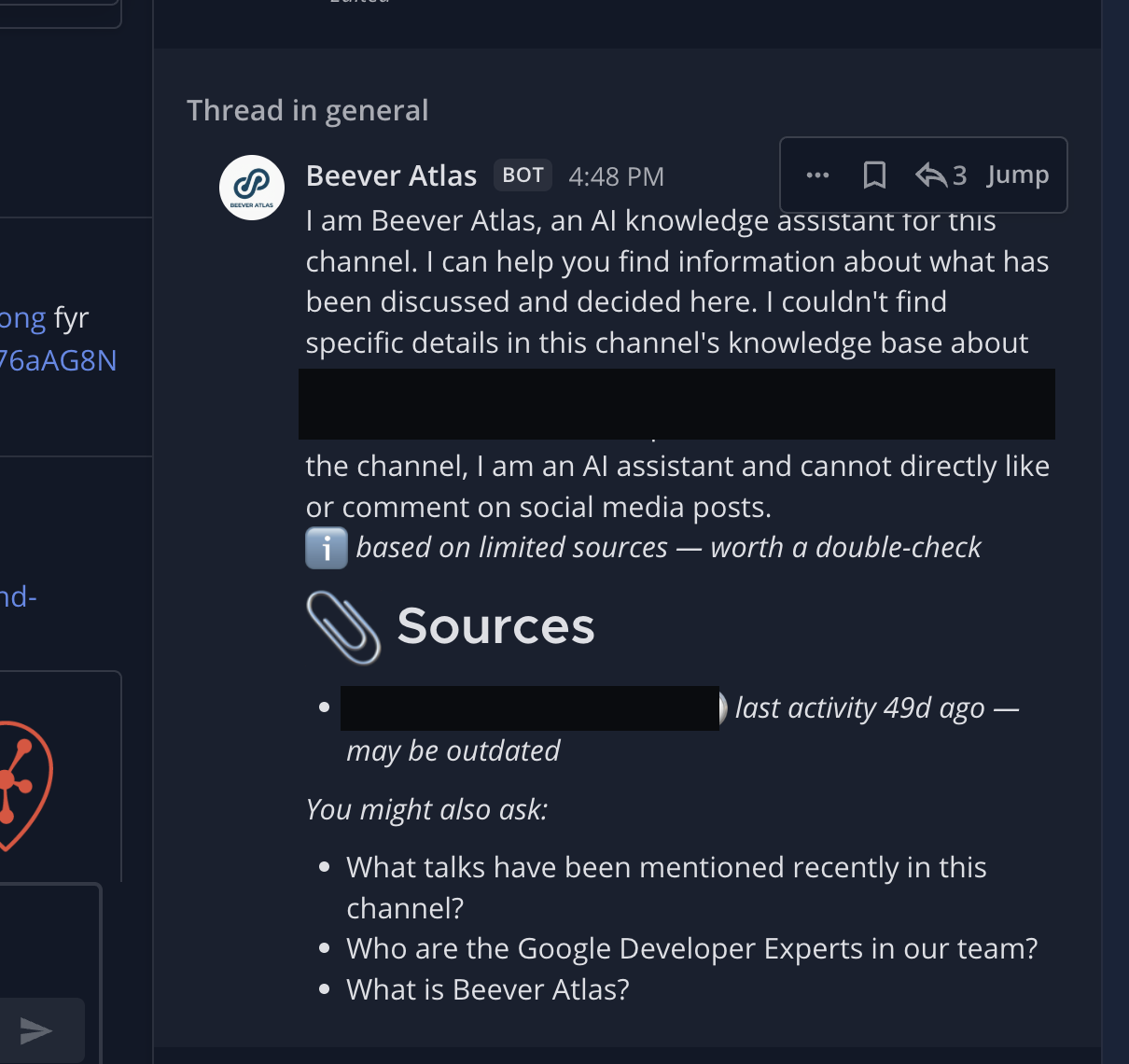
Users reach memory through an AI agent — the channel bot — not a dedicated UI.
04Situation
Every tool had its own way of saving knowledge.
User side
Everyone leaned on whatever their own tools offered. None of it was written for an agent to pick up.


Votee side
v1 was research-led — it proved the architecture, but shaped knowledge around the experiment rather than the team.
Six tools, six silos
Every tool remembers differently. None of it connects.
Slack
Starred message
in-app only
Linear
Thread summary
in-app onlyGmail
Labelled email
in-app onlyDocs
Meeting notes
not searchableCalls
Audio recording
not searchableScreens
Screenshot
not searchableChat & email: searchable in-app only. Notes, audio, screenshots: not searchable anywhere.
05UX solution
Spaces, not channels
v1 overloaded one "channel" field with four jobs. v2 splits it into a Space you create first.
Roles govern what you can do. Visibility belongs to each fact.
v1 → v2
Three channels, three silos → one Space.
v1 · Channel-based
Three channels, three unrelated knowledge bases.
v2 · Space-based
Three sources, one corpus — one membership list to keep in sync.
Permission-aware
Visibility is set per source — a fact, a channel, a whole space.
A restricted source's name is itself a leak — so it never surfaces.
Viewing as PM
- Product Roadmap
- Engineering Specs
Only visible to you
- Customer Feedback
Shared with Sales
- Sprint Notes
Viewing as Sales
- Deal Pipeline
- Acme Contract — HK$128K
Only visible to you
- Customer Feedback
Shared with PM
- Pricing Sheet
Same wiki, two roles — Sales sees the client's signed contract value that PM never receives, while PM's engineering detail never reaches Sales.
Cited by default
Every answer links back to its source message, and a partial answer says so.
Honest about its edges beats confident and wrong.
06Final prototype
Ask the wiki
- 1
A PM and a Sales lead ask the same question.
- 2
Atlas answers both from one wiki, scoped to what each may see.
- 3
Sales also gets the call transcript — because their permissions allow it, not by luck.
What did we promise this account on renewal?
Answering as PM
Pricing holds for 12 months, and the team agreed not to commit to migration help before scoping it. Nothing I can see records a final answer on migration.
Answering as Sales
Pricing holds for 12 months, and migration was promised free for the first quarter — committed on the renewal call, after the team had flagged it as unscoped.
One question, one wiki. Sales is cleared for the call transcript where the promise was actually made; the PM is not, so their answer stops at its own edge instead of guessing.
Pull memory into an agent
- 1
A teammate is mid-task in Claude Code.
- 2
The agent calls the Beever Atlas skill over MCP.
- 3
It gets cited facts back, mirrored to that person's permissions.
 claude code
> /beever-atlas-memory "what's our GTM decision?"
⏺ beever-atlas MCP · ask_wiki
⎿ 1 wiki page cited — Marketing & Biz
The manager decided to go ahead with the GTM strategy A at 2026-07-24.
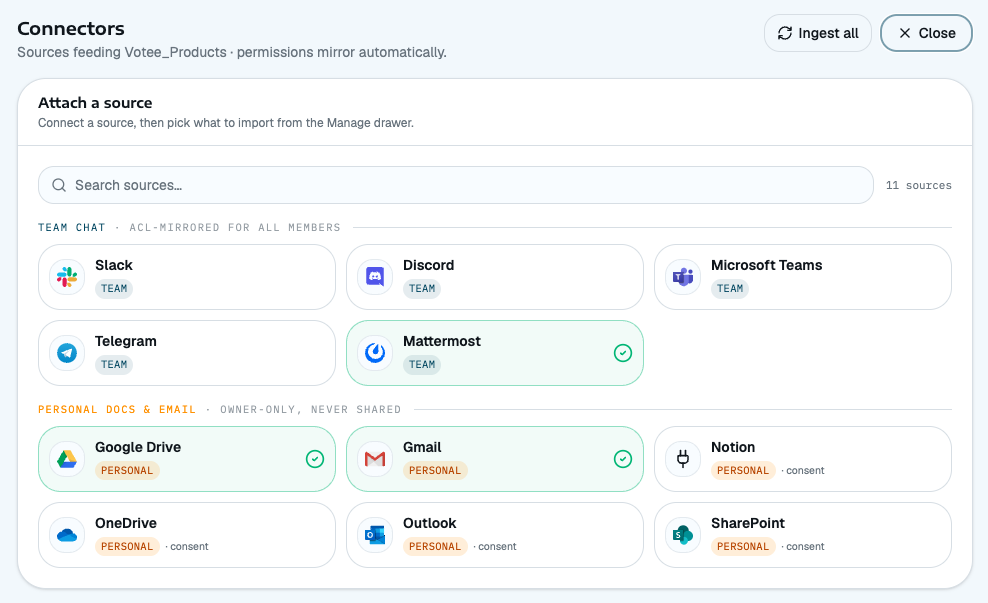
From channel to space
The Space comes first; sources and people attach to it.
Container, not accident
One field forced to do four jobs → one container built for two relationships.
v1 · One field
Never built to do four jobs — it just ended up doing them all.
v2 · Container
Built to do one job — sources and people attach to it on purpose.
Sources
Members
07Impact & results
- HK$2m+
- Pipeline from one conversation
- #453
- of 18,000+ MCP servers
- 6
- Votee products reuse the memory layer
Real demand behind the fundraising narrative.
Ranked on PulseMCP.
Modularised rather than rebuilt per team.
08AI-native execution
The design work ran agentically — I directed, the agents executed, I reviewed every diff.
Claude Code — The explainer site and multi-file UI work — designed in the browser, in CSS variables, not in a handoff file.
Mermaid — Architecture and permission diagrams as code, so a model change updates the picture.
PostHog — Session recording, to check the wiki was used the way it reads.
Langfuse — Agent tracing, so a bad answer leads back to the retrieval step that caused it.
Linear — Milestones and tickets for the gated v2 roadmap.


Teammates Involved
Agents did the typing. These are the people who set the direction, argued the trade-offs and reviewed what shipped.
 PM
PM Sales
Sales AI Engineer
 CTO
CTO